BcmScanActivity
The Scan Activity (BcmScanActivity) is the Biocapture SDK's central Activity. It internally
manages the BcmScanFragment.
You can consume this class by subclassing(BcmScanActivity). The Scan Activity is configured using
an instance of the BcmGlobalConfig and the BcmScanConfig.
The configuration is automatically passed to the BcmScanFragment, which is the
main player in the scanning process.
Progress is reported to an object implementing the IBcmFlowDelegate interface.
Please refer to the usage examples for a high-level overview of the Scan Activity.
Caveats
Changes made to the SDK global configuration through BcmGlobalConfig are
applied only when a scan session is started. Configure the SDK while no Scan
Fragment (BcmScanFragment) is active to ensure that your configuration is
applied to all scan sessions.
Interface
Kotlin:
open class BcmScanActivity() : AppCompatActivity() {

    /**
     * An object enables basic configuration of SDK behavior.
     */
    var globalConfig: BcmGlobalConfig = BcmGlobalConfig()

    /**
     * An instance of BcmScanConfig, which may be changed/replaced at will prior to presenting the scan fragment
     */
    var scanConfig: BcmScanConfig = BcmScanConfig()

    /**
     *  A delegate object for scan flow events
     */
    var flowDelegate: IBcmFlowDelegate? = null

    /**
     *  Scan Fragment instance
     *  All the scan magic takes place in this Fragment
     */
    var scanFragment: BcmScanFragment? = null

}
Java:
public class BcmScanActivity extends AppCompatActivity {

    /**
     * An object enables basic configuration of SDK behavior.
     */
    public BcmGlobalConfig globalConfig = new BcmGlobalConfig();

    /**
     * An instance of BcmScanConfig, which may be changed/replaced at will prior to presenting the scan fragment
     */
    public BcmScanConfig scanConfig = new BcmScanConfig();

    /**
     *  A delegate object for scan flow events
     */
    public IBcmFlowDelegate flowDelegate = null;

    /**
     *  Scan Fragment instance
     *  All the scan magic takes place in this Fragment
     */
    public BcmScanFragment scanFragment = null;

}
Usage
Configuring the Scan Activity
To use the SDKs Scan Activity, it is required to create an own Activity, which inherits from
the BcmScanActivity. This is mandatory to be able to set
the BcmGlobalConfig, the BcmScanConfig
and the object implementing the IBcmFlowDelegate interface.
It also requires the declaration of your defined Scan Activity, in the AndroidManifest.xml.
<activity
    android:name="your.package.name.YourBcmScanActivity"
    android:screenOrientation="landscape" />
Your Activity maintains the Biocapture SDK's global configuration using
the BcmGlobalConfig interface. The BcmGlobalConfig object can be set
on the Activity level, using the globalConfig field.
Additionally, you may change the Scan behavior by providing your own instance of scanConfig or
changing values of the configuration object. For a list of configurable options, please refer to the
class documentation of BcmScanConfig.
Assign a flowDelegate object to receive information about scan progress and the final
result (IBcmFlowDelegate).
Kotlin:
class YourBcmScanActivity : BcmScanActivity(), IBcmFlowDelegate {

    class BcmGlobalConfigOverride : BcmGlobalConfig() {
        open fun licenseKey(): String? = ...
    }

    class BcmScanConfigOverride : BcmScanConfig() {
        open fun scanTerminationOption(): ScanTerminationOptions = ...
    }

    /**
     * Set config take place here
     */
    init {
        globalConfig = BcmGlobalConfigOverride()
        scanConfig = BcmScanConfigOverride()
        flowDelegate = this
    }
}
Java:
public class YourBcmScanActivity extends BcmScanActivity implements IBcmFlowDelegate {

    class BcmGlobalConfigOverride extends BcmGlobalConfig {
        @Nullable
        @Override
        public String licenseKey() {
            return ...;
        }
    }

    class BcmScanConfigOverride extends BcmScanConfig {
        @Nullable
        @Override
        public ScanTerminationOptions scanTerminationOption() {
            return ...;
        }
    }

    // Instance initialization block
    /**
     * Set config take place here
     */
    {
        setGlobalConfig(new BcmGlobalConfigOverride());
        setScanConfig(new BcmScanConfigOverride());
        setFlowDelegate(this);
    }

}
The settings are applied for all future scan sessions during your app's Scan Activity lifetime.
Creating a Scan Activity Instance
Once configured, you are ready to scan fingerprints by presenting BcmScanActivity using an Intent:
Kotlin:
val bcmScanIntent = Intent(
    context,
    YourBcmScanActivity::class.java)

startActivity(bcmScanIntent)
Java:
Intent bcmScanIntent = new Intent(
    context,
    YourBcmScanActivity.class);

startActivity(bcmScanIntent);
Adding a Custom Close Button
Depending on your use case, you may wish to overlay a return button on top of the Scan Activity.
The Activity provides the supportActionBar for that purpose.
In the following example, a return button is added, which notifies the presenting controller when tapped:
Kotlin:
override fun onStart() {
    super.onStart()

    enableReturnButton()
}

private fun enableReturnButton() {
    supportActionBar?.setDisplayHomeAsUpEnabled(true)
    supportActionBar?.setHomeButtonEnabled(true)
    supportActionBar?.setDisplayShowHomeEnabled(true)
    supportActionBar?.setDisplayShowTitleEnabled(false)
    supportActionBar?.setIcon(null)
}

override fun onOptionsItemSelected(
  item: MenuItem
): Boolean {
  val id = item.itemId
  if (id == android.R.id.home) {
    onBackPressed()
  }

  return super.onOptionsItemSelected(item)
}
Java:
@Override
protected void onStart() {
    super.onStart();

    enableReturnButton();
}

private void enableReturnButton() {
    supportActionBar.setDisplayHomeAsUpEnabled(true)
    supportActionBar.setHomeButtonEnabled(true)
    supportActionBar.setDisplayShowHomeEnabled(true)
    supportActionBar.setDisplayShowTitleEnabled(false)
    supportActionBar.setIcon(null)
}

@Override
protected boolean onOptionsItemSelected(
  MenuItem item
) {
  int id = item.itemId;
  if (id == android.R.id.home) {
    onBackPressed();
  }

  return super.onOptionsItemSelected(item)
}
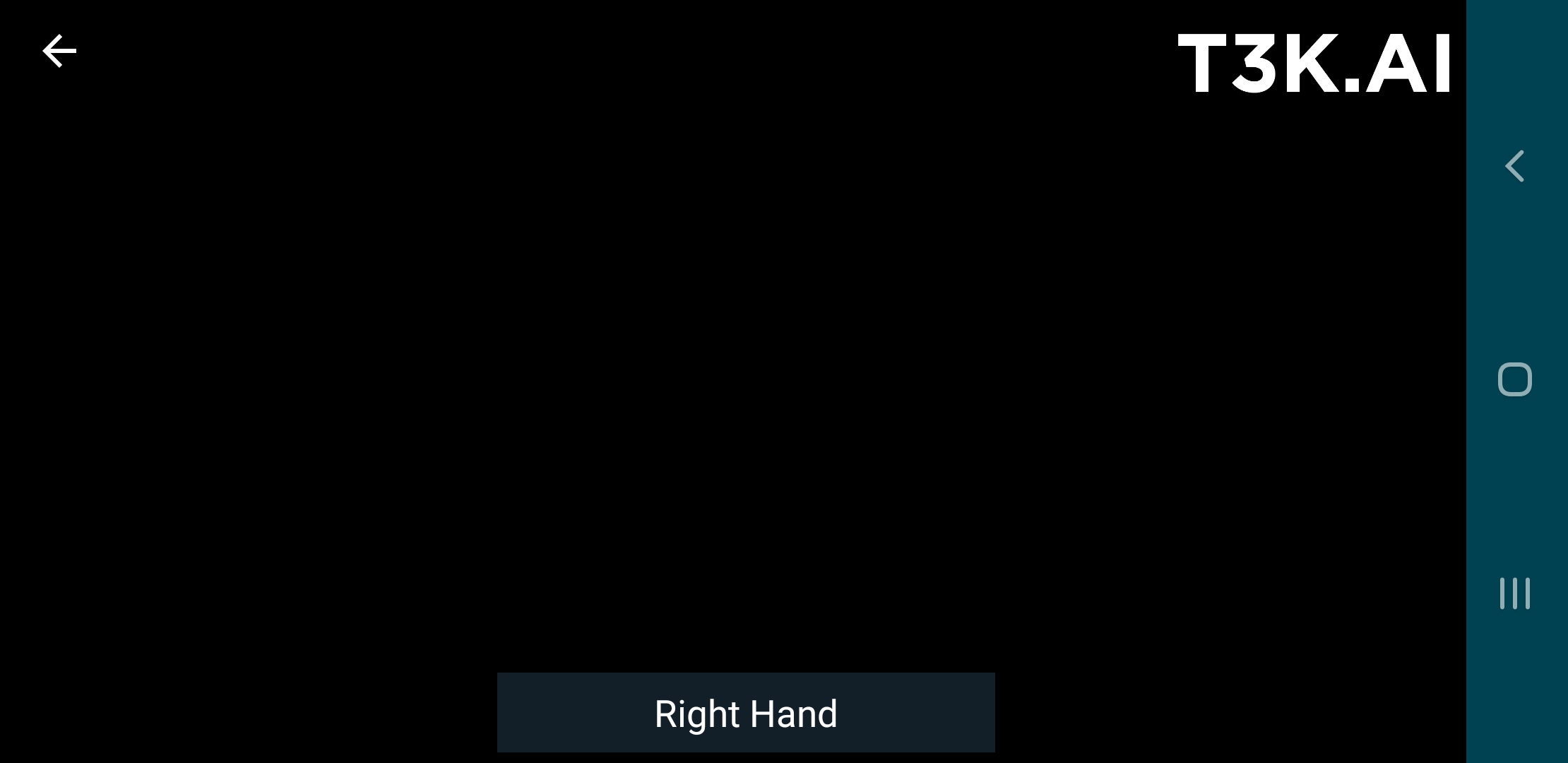
The return button is visible in the top left of the following screenshot.
Scan Session Management
The Scan Activity by default automatically manages scan sessions via the Scan Fragment, meaning it will start a scan session when presented, stop it when hidden or dismissed, and restart a new scan session after a scan completes (unless dismissed by the Activity).