Installation
The Biocapture SDK is currently distributed as ZIP file. Please acquire the latest distribution files from your contact at Biocapture. A more flexible distribution method will be available in the future.
Unpack the SDK ZIP File
The Biocapture SDK delivery ZIP file includes a Sample App project with the embedded iOS SDK. The
Biocapture SDK (BcmSdk.framework) is located in the bcm-sdk folder of the Sample App project or
in the sdk folder of the provided ZIP.
Embed into Xcode Project
The Biocapture SDK is written in Objective-C and Swift. It is thereby naturally compatible with both programming languages.
You can either start off with a blank project, for which the necessary steps are provided below, or use the Sample Project (Sample App) that is bundled with the SDK. The Sample App is preconfigured and ready to use. The necessary steps are provided below.
Integration
The framework from the extracted SDK ZIP may now be integrated into Xcode as follows:
- Copy the files
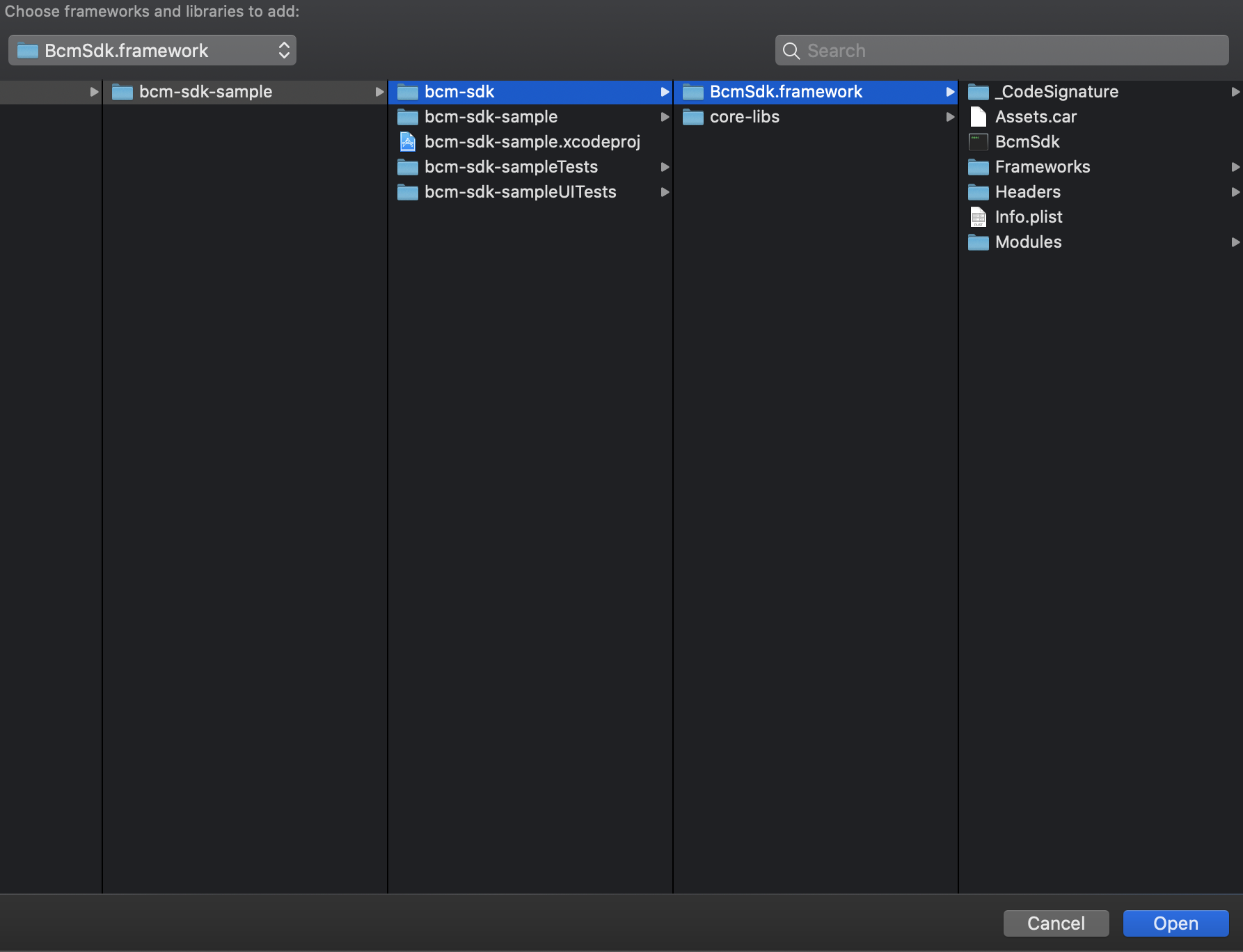
BcmSdk.frameworkinto an own folder (e.g.<project-root>/bcm-sdk/). The files can be found in thebcm-sdk-sample/bcm-sdkfolder of the Sample App project or in thesdkfolder of the provided ZIP. - Open your iOS targets General settings tab
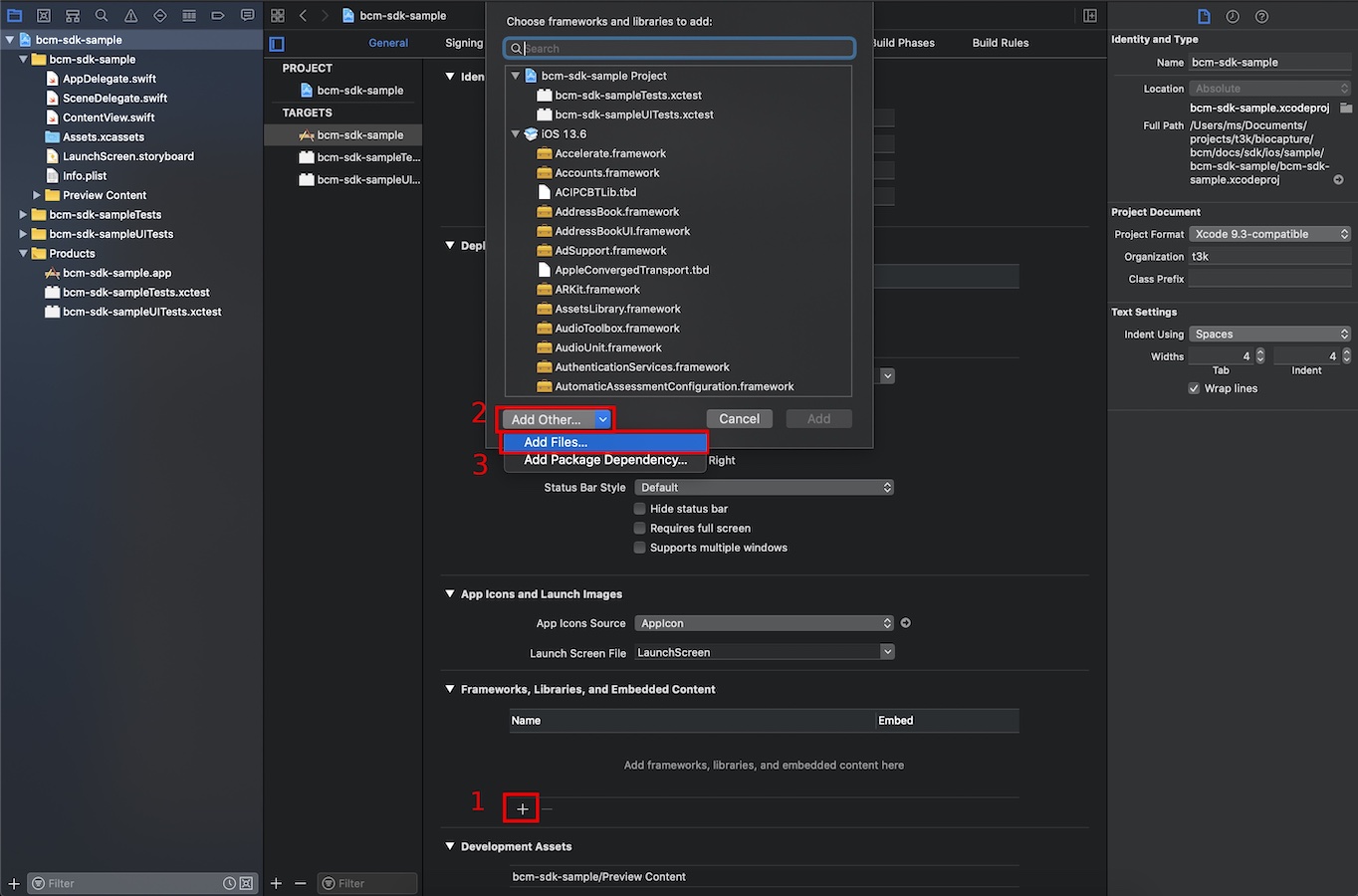
- Add the the BCM SDK files via the "+" button in the Frameworks, Libraries, ... section
Select Add other..., Add files...
Choose BCM framework file
Finally it should look like as follows

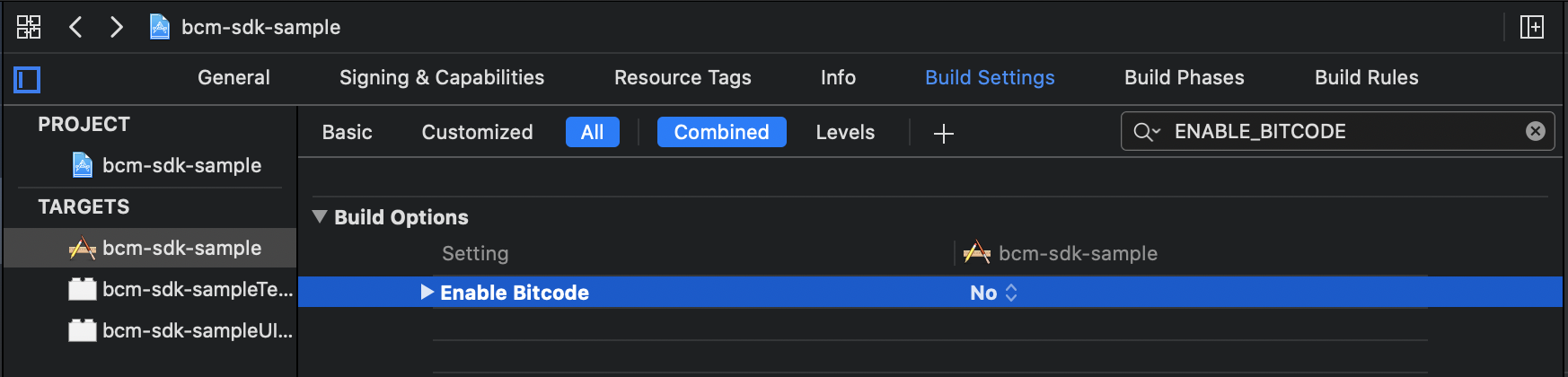
Additionally you have to turn off the bitcode support in the build settings of your target.
Permissions
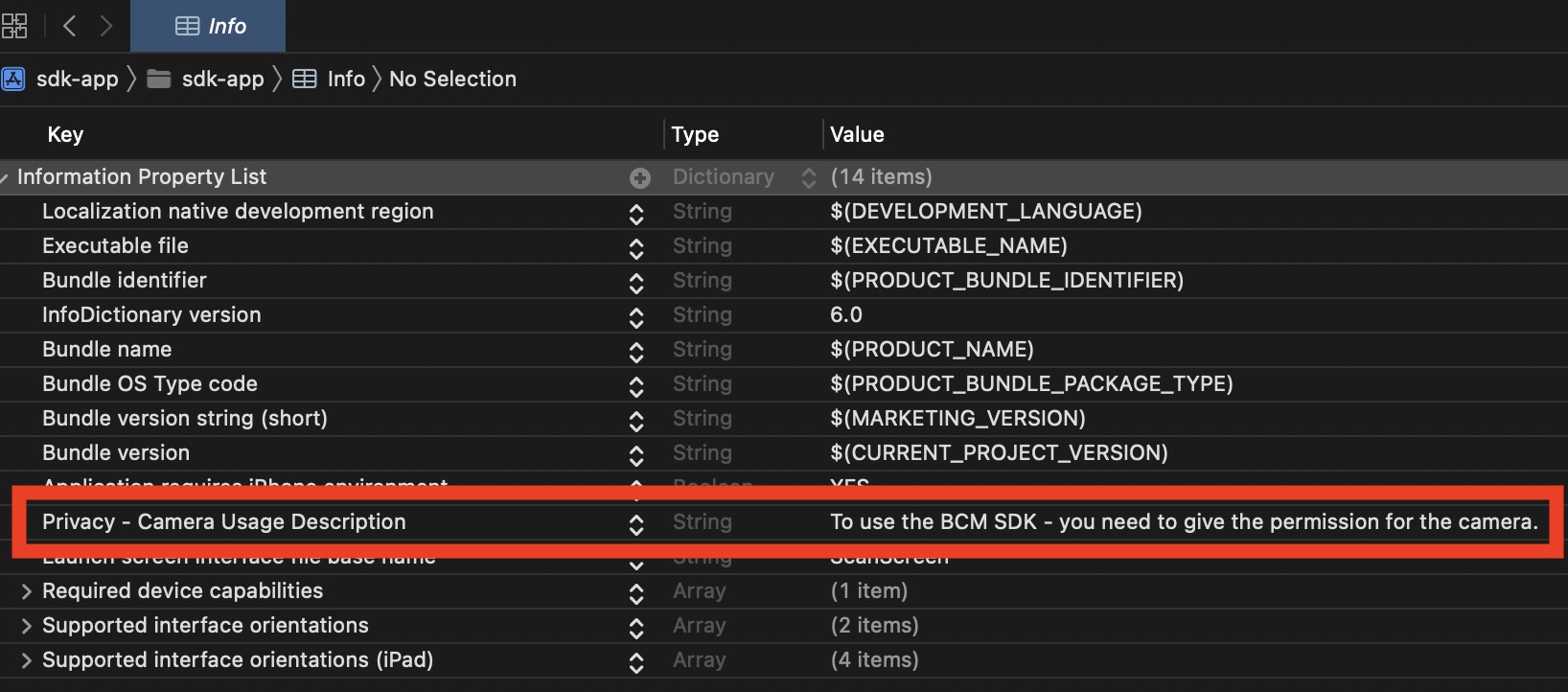
The Biocapture SDK does not work without the camera. Therefore you have add the camera permission to project info.plist file.
The SDK will crash if you do not provide the description why you are asking for the permission (it can not be empty).